Zabbix Agent 2 Plugin Development: To Unit Tests and Beyond!
When I first set out to build a custom Zabbix Agent 2 plugin, one of the very first resources I used was the post Developing plugins for Zabbix Agent 2 on the official Zabbix blog, which was an indispensable resource for getting started. However, once the plugin was working, I needed to make sure I wasn’t going to break it. And since I trust myself to make mistakes and write a lot of bugs over time—especially when I am coding without coffee at 2 AM—the next obvious step was to set up automated testing.
Golang Testing Framework
I’ve been doing software development for the last 15 years and I know testing is an integral part of it. During this time, I have used many different tools and frameworks, depending on the type of project: from JUnit + TestContainers for Java projects to Python’s “unittest” module and shell (ksh) when I contributed patches to the ZFS Test Suite.
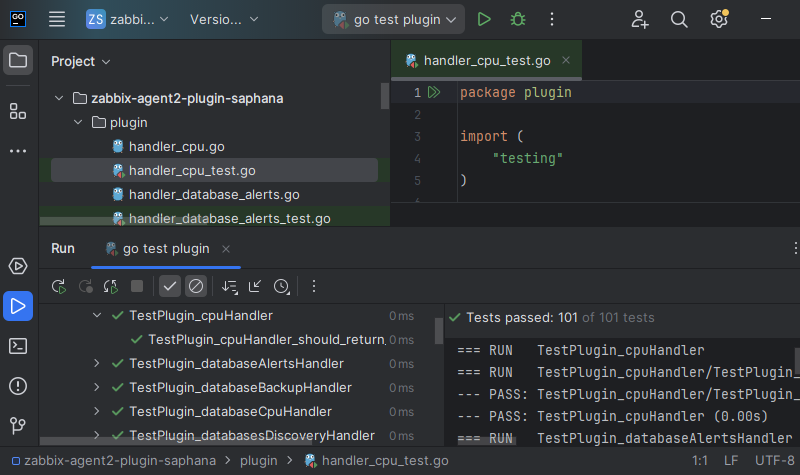
When I started developing in Go, I was initially unfamiliar with the ecosystem and its testing patterns; however, by following the de facto standards used by other Zabbix Agent 2 plugins, I found that writing basic unit tests is fairly straightforward.
First, you start with the usual boilerplate: build tags, package declaration and imports:
//go:build tests
// +build tests

package plugin

import (
        "context"
        "testing"

        "github.com/DATA-DOG/go-sqlmock"
)
Notice how we imported an external mock library that implements the sql/driver interface: this will let us execute the tests quickly without connecting to a real database.
Then, for each function we want to test, we define a “table” of test cases that includes our mock data and the result we expect to receive:
func Test_getDatabaseVersion(t *testing.T) {
        type mock struct {
                row *sqlmock.Rows
        }

        tests := []struct {
                name     string
                mock     mock
                expected string
        }{
                {
                        "should return a valid version string",
                        mock{
                                row: sqlmock.NewRows([]string{"version"}).AddRow("1.00.092.00.1421734550"),
                        },
                        "1.00.092.00.1421734550",
                },
And finally, we iterate through those test cases, initializing the mock database and asserting that our function’s output matches our expectations:
        for _, tt := range tests {
                t.Run(tt.name, func(t *testing.T) {
                        db, mock, err := sqlmock.New()
                        if err != nil {
                                t.Fatalf("error creating sqlmock: %v", err)
                        }
                        defer db.Close()

                        mock.ExpectQuery(`select version from public.m_database`).WillReturnRows(tt.mock.row)

                        got, err := getDatabaseVersion(context.Background(), &HanaConn{client: db}, "", nil)
                        if err != nil {
                                t.Fatalf("Plugin.getDatabaseVersion() error = %v", err)
                        }
                        if got != tt.expected {
                                t.Fatalf("Plugin.getDatabaseVersion() = %v, expected %v", got, tt.expected)
                        }
                        if err := mock.ExpectationsWereMet(); err != nil {
                                t.Fatalf("Plugin.getDatabaseVersion() unfulfilled sqlmock expectations: %v", err)
                        }
                })
        }
These kinds of tests are the easiest to run because they’re tightly scoped and have no external dependencies: ideally, you’ll write at least one for every function in your Plugin. However, while mocks are great for speed, they can’t simulate the complexities of a real-world environment—that’s where integration testing comes in.
Integration Testing: a Docker Inception
Setting up integration tests is often the most challenging phase, as it requires orchestrating the entire environment. For my Zabbix Agent 2 Plugin, I decided to use the capabilities offered by GitLab and Docker.
Writing the code itself is fairly simple and is not much different from what we have already seen: instead of creating a sqlmock instance
db, mock, err := sqlmock.New()
we look up an environment variable that contains a valid SAP HANA DSN (e.g. hdb://ZABBIX:MyPassword1@hanadb:39013) and use that to connect to a real database:
dsn := os.Getenv("GOHDBDSN")
db, err := sql.Open("hdb", dsn)
On the code side, there’s not much else to do. Now we just need to find a “real database” to connect to.
First, the Docker daemon needs to be made available to the job running the tests; we just need to add the following to .gitlab-ci.yml:
services:
  - name: docker:dind

variables:
  DOCKER_HOST: "tcp://docker:2375"
The heavy lifting is done by a Python script that does the following:
- Connects to the Docker service container provided by the GitLab runner.
import docker

client = docker.from_env(timeout=60)
- Pulls the saplabs/hanaexpress Docker image.
image = client.images.pull("saplabs/hanaexpress")
- Creates a container and then connects to it.
container = client.containers.run(
  name=hana_hostname,
  hostname=hana_hostname,
  image=image.tags[0],
  network_mode="bridge",
  command="--agree-to-sap-license --master-password %s" % (system_password),
  remove=True,
  detach=True)
conn = dbapi.connect(address=hostname, port=39017, user="SYSTEM", password=system_password)
- Creates a monitoring role and user.
sql = [
  "CREATE RESTRICTED USER %s PASSWORD %s ..." % (hana_username, hana_password),
  "ALTER USER %s ENABLE CLIENT CONNECT" % (hana_username),
  "CREATE ROLE ZABBIX_MONITORING",
  "GRANT ... TO ZABBIX_MONITORING",
  "GRANT ZABBIX_MONITORING TO %s" % (hana_username),
]
cursor = conn.cursor()
for stmt in sql:
  cursor.execute(stmt)
- Creates various types of backups and snapshots.
cursor.execute("BACKUP DATA FOR SYSTEMDB USING FILE ('/path/to/backup/data/COMPLETE_DATA_BACKUP')")
cursor.execute("BACKUP DATA DIFFERENTIAL FOR SYSTEMDB USING FILE ('/path/to/backup/data/COMPLETE_DATA_BACKUP')")
cursor.execute("BACKUP DATA INCREMENTAL FOR SYSTEMDB USING FILE ('/path/to/backup/data/COMPLETE_DATA_BACKUP')")
- Creates a second container and configures replication with the first one.
container2 = client.containers.run(...)
container.exec_run(["/bin/bash", "-i", "-c", "hdbnsutil -sr_enable ..."])
container2.exec_run(["/bin/bash", "-i", "-c", "hdbnsutil -sr_register ..."])
- Outputs a valid DSN (our
GOHDBDSN).
gohdbdsn = "hdb://%s:%s@%s:%d" % (hana_username, hana_password, hana_hostname, 39017)
print(gohdbdsn)
After this we just have to execute our go test to run integration tests against this newly created environment.
This sounds nice on paper but in reality it means dealing with complicated network setups (isolated subnets, internal DNS resolution), delays and timeouts from databases that take a while to be reachable, copying randomly generated files from one container to another (system PKI SSFS files) and so on. Also this is further complicated by the fact all of this is already running as a job inside a Docker container, since my GitLab runner is using a Docker executor—a “Docker Inception,” if you will. Finally, since testing replication monitoring requires two different SAP HANA databases to be up and running, I was eventually forced to bump the amount of RAM allocated to the system running the GitLab runner to 16GB.
A Glitch in the Test Matrix
In addition to unit and integration testing of the code, reliability requires checking the environment where the compiled artifacts will eventually run. For this reason, I run a dedicated GitLab CI job for every supported combination of operating system and Zabbix version.
This is more or less what it looks like; there’s a hidden .base job which contains the actual test implementation:
.base:
  script:
    - zabbix_agent2 -V | grep "zabbix_agent2 (Zabbix) ${ZABBIX_RELEASE}"
    - /usr/sbin/zabbix-agent2-plugin/zabbix-agent2-plugin-saphana -V | grep "Version ${ZABBIX_RELEASE}"
    - ...
And then you have matrix-style jobs that extend specific implementations (e.g. for Ubuntu) and specify the versions they cover:
ubuntu:
  extends: .base:os:deb
  image: "ubuntu:${UBUNTU_VERSION}"
  parallel:
    matrix:
      - UBUNTU_VERSION: "18.04"
      - UBUNTU_VERSION: "20.04"
      - UBUNTU_VERSION: "22.04"
      - UBUNTU_VERSION: "24.04"
This step ensures:
- Package Integrity: The generated Zabbix Agent 2 plugin package installs correctly.
- ABI Compatibility: The agent process can correctly load the plugin without crashing, catching any binary incompatibility issues that could arise from different compiler versions, protocol versions, or library linkage.
The whole GitLab pipeline takes approximately 1 hour and 30 minutes to run, hopefully catching any “glitch in the Matrix” before the software is shipped to production.
Final Thoughts: Was it worth it?
Automating all of this testing was a massive pain upfront, especially at the beginning where the curve is very steep. But in my experience it is the only way to build maintainable software in the long run.
Also, I didn’t do this because it was easy, but because I thought it would be easy.